How to signup as a Service Provider
Service Providers are the heart beat of the SANISWEEP platform. Customers rely on Service Providers to take care of their hygiene hassles. To become a Service Provider on our platform, follow the following.
- Click on the SIGN UP button located on the top right section of our website.
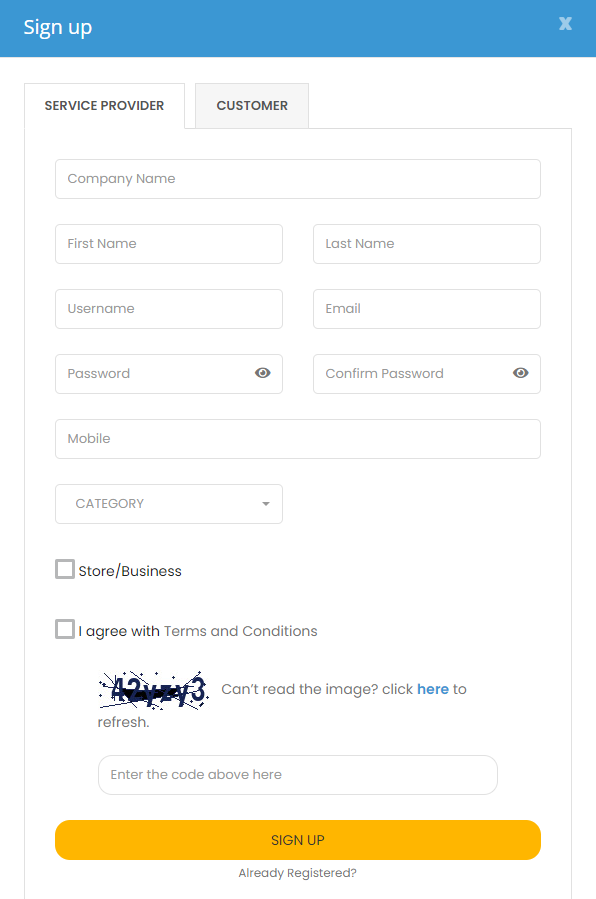
- Click on the SERVICE PROVIDER tab and proceed to complete the form shown below.
- The “Company Name” field is optional and can be ignored if you’re not trading on behalf of a company.
- Confirmation email will be sent to your the email address provided.
- Login into your newly created account.
- Navigate to Profile Settings and complete additional information about your profile. This ensures customers are able to find your services on the platform.
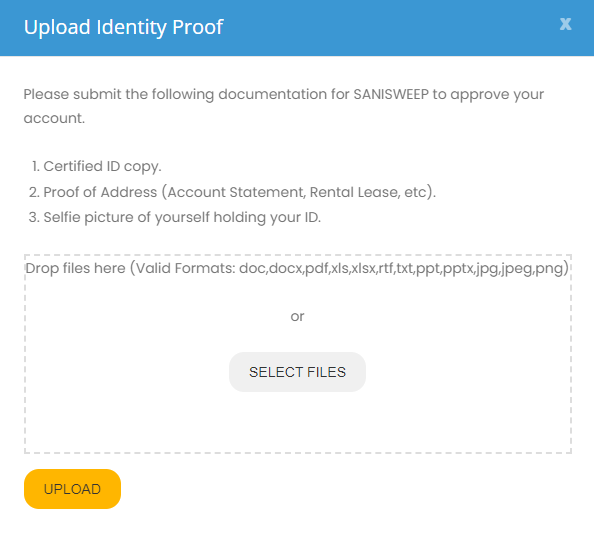
- Navigate to Identity Check and attach all required documentation for have your profile verified.
- It is important to provide all required documentation to ensure successful verification.
- Navigate Booking Settings to configure your operational hours and other relevant information.
- Navigate to My Services to create a list of services you would like to offer on the platform.